 Millworker
Help / Getting started
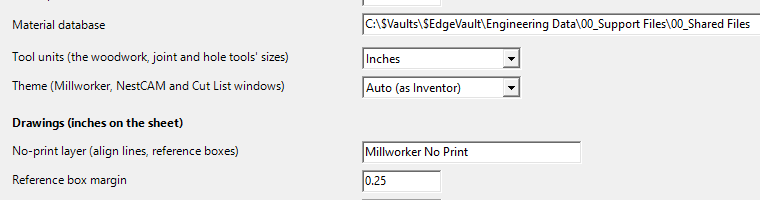
Tool units
Show every tool size in inches or millimetres.
Where
- Millworker Settings (Settings panel) → Tool units.
Choose Inches (the default) or Millimetres. Every tool's sizes are shown in that unit: the mini toolbar values, the Settings… grids (hinge, shelf, dowel, fastener and woodwork sizes) and the MW_ parameters the tools make.
- A size kept as a plain length in the other unit is shown converted and saved that way: 17 mm shows as 0.6693 in.
- Expressions and parameter names are left as typed:
MW_DadoDepth + 1/16stays as it is. - A length typed with a unit keeps it:
35mmor1.5in. With no unit, the tool unit is used.
Screenshot placeholder
images/tool-units.png
760 × 200 px
Millworker Settings window, cropped to the Tool units row with Inches selected.
Hardware sizes such as the 32 mm system, 35 mm hinge cups and 8 mm dowels are metric standards. They stay exact whatever unit you show them in.