 Millworker
Help / Features
 LED Channel
Part
Grooves for LED tape along a face's edges, joining cleanly at corners.
Set up
- A part with a panel that takes LED tape: the underside of a wall cabinet bottom, a shelf, a toe kick.
- Click LED Channel (Features panel).
- Click a face, then each edge of it a channel runs along (one channel per edge). Click another face to go on there.
- Set Width, Depth and Offset (in from the edge). Ends in 0 runs the channel out at both ends; a larger value stops it that far in.
- Apply or OK.
Screenshot placeholder
images/led-channel-preview.png
1600 × 900 px
Underside of a wall cabinet bottom, face picked and its front and one side edge picked, red channel previews meeting in a clean corner.
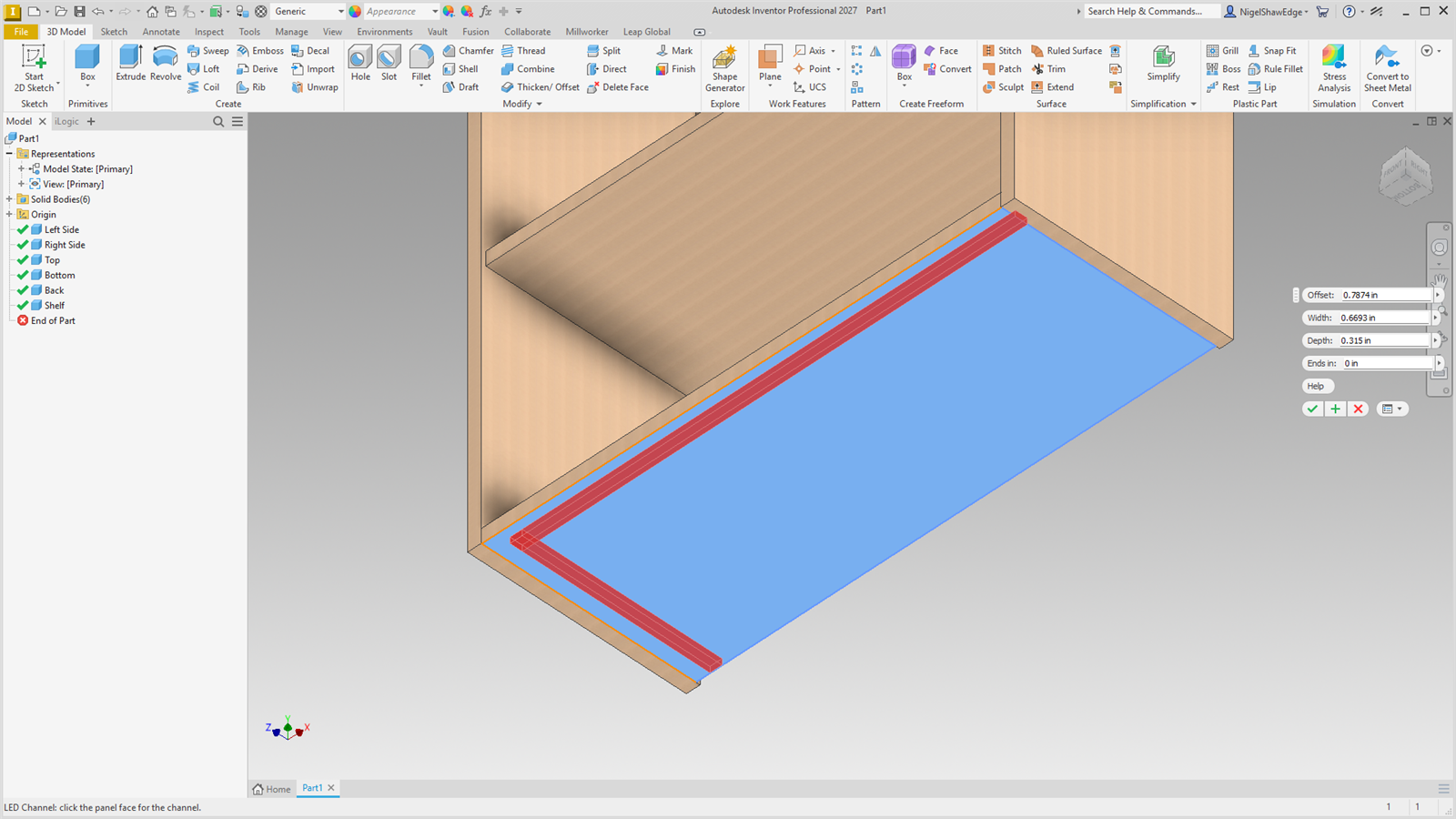
Where two picked channels meet at a corner, each stops level with the other's outer side, so they join into one corner instead of crossing. The sketches sit hidden inside the node.