 Millworker
Help / Materials
 BOM
Assembly
Drawing
Bill of materials: sheet goods to buy, panels, layups, hardware, finish areas and edgebanding lengths.
Where
- An assembly. Materials panel → BOM.
- A drawing. Tools panel → BOM: the assembly the drawing shows (the active sheet's first view of one).
Screenshot placeholder
images/bom-preview.png
1600 × 1000 px
BOM report preview: the four groups visible (Sheet goods, Panels, Hardware, Edgebanding), page sidebar on the left.
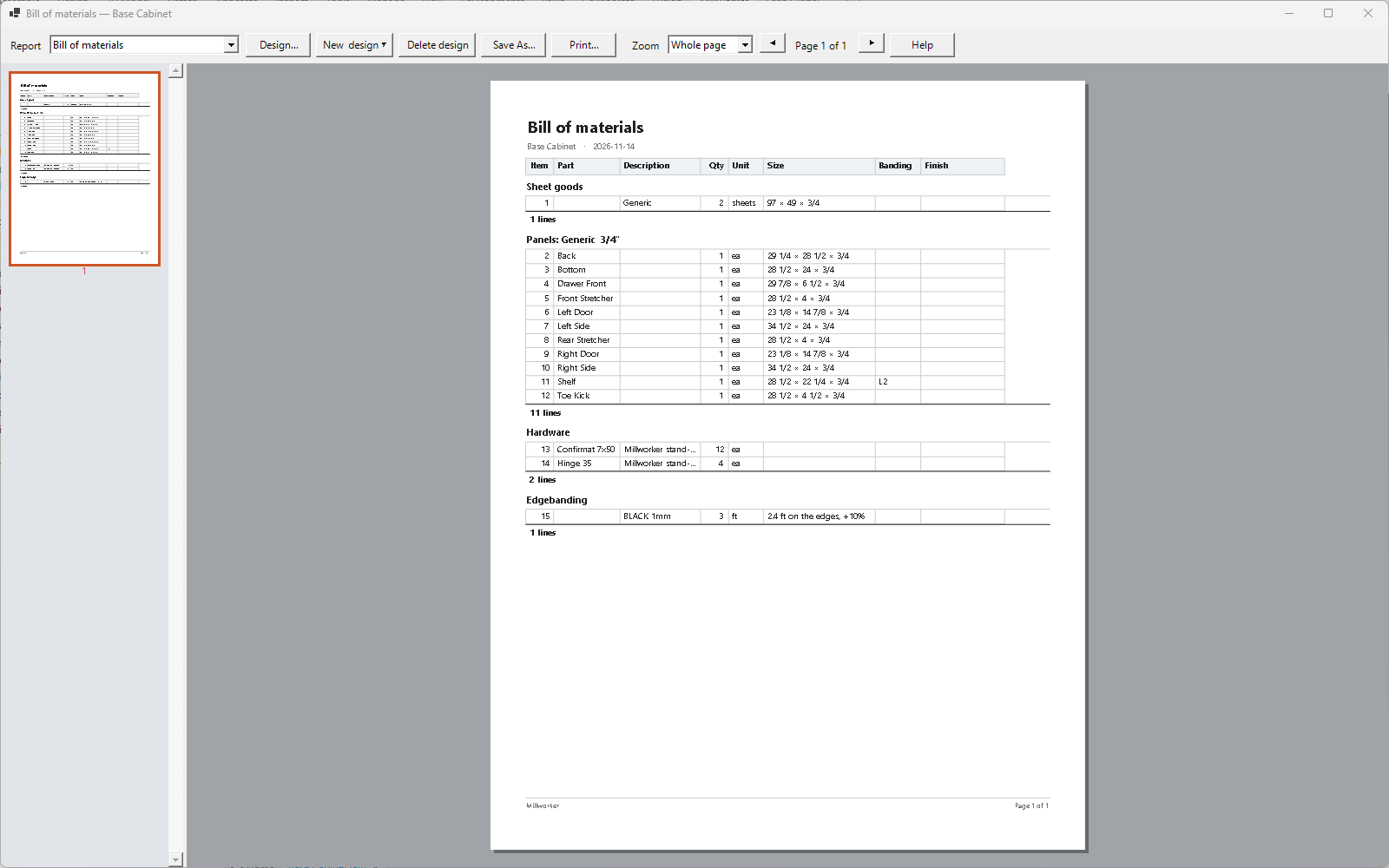
| Sheet goods | The sheets to buy of each stock, from the same planning as the nest, with the total sheets and area under them. |
| Panels | By material and thickness, each with its part number, description and size. |
| Layups | Only when the parts have layups: each layup, its panels and their face area. |
| Hardware | Library, Content Center and bought parts, counted (including the hardware Place Hardware put in). Handles, pulls and knobs (by part number, description or file name) are always hardware, each, never sheets. |
| Edgebanding | Each band's running length, rounded up in feet with 10% for trimming. |
The page is landscape, in six columns: Item, Part, Description (the widest), Qty, Unit and Size. Save it as PDF or CSV, print it, or change the design in Design….
Create Drawing, next to BOM, is not set up yet.