
Windows installer builder · coming soon
Simple Installer
Make a proper Windows installer for your app or Inventor add-in in minutes. Fill in the product, add the files, design the dialog and click Build: you get one Setup.exe that installs, upgrades, repairs and uninstalls cleanly.
Windows 10 and 11 · licences on sale soon
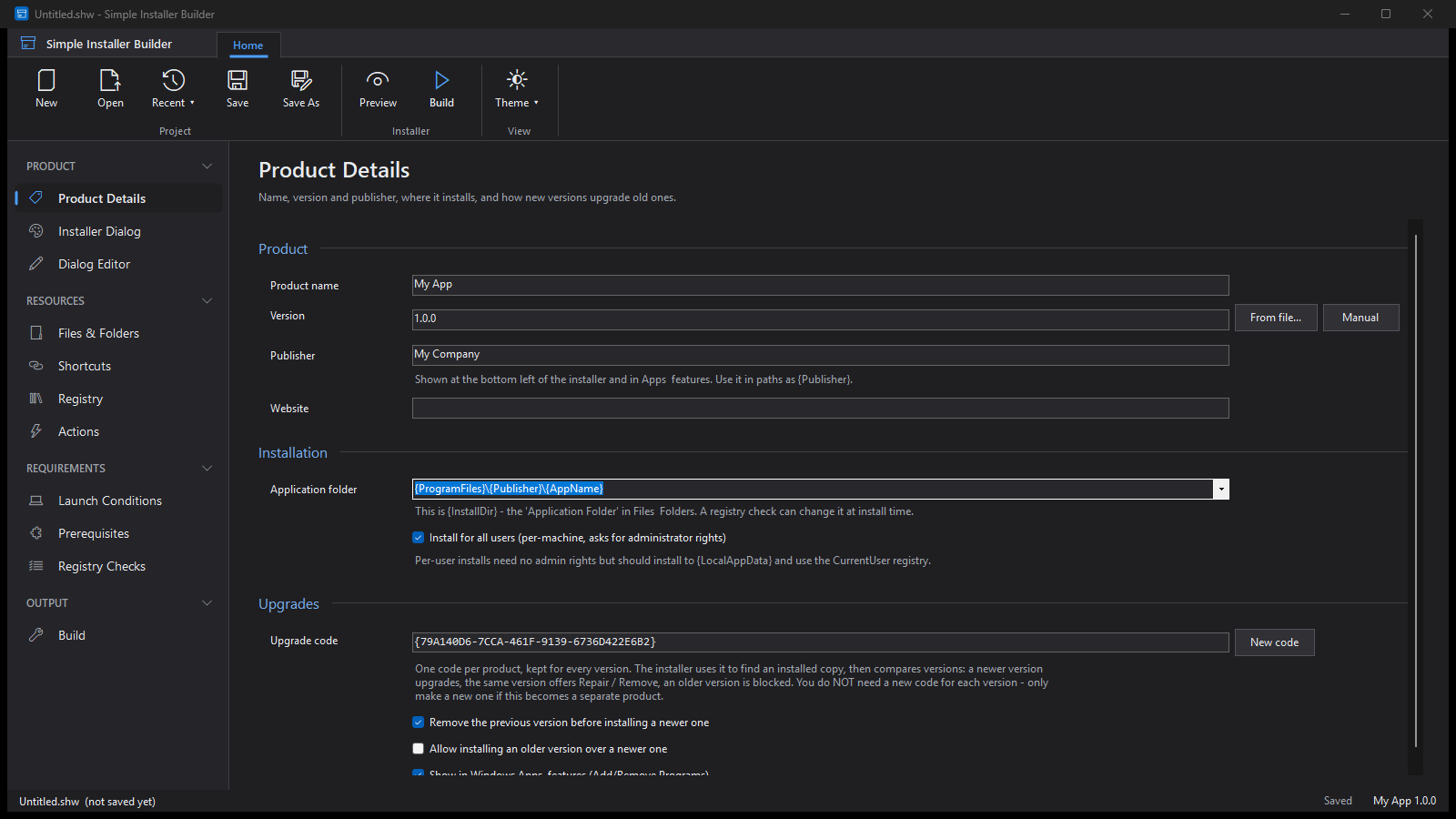
img/shots/simple-installer-builder.png1600 × 900 pxThe Simple Installer Builder: the ribbon, the side menu and the Product Details page.Everything an installer needs, nothing it doesn't
Built because the big installer tools take a week to learn for a job that should take an afternoon.
One Setup.exe
The installer, its files and its settings in a single file with your own icon. Nothing else to ship.
Upgrades done right
One upgrade code per product. A newer version replaces the old one, the same version offers Repair or Remove, and an older one is stopped.
Files, shortcuts and registry
Explorer-style trees for the files and folders, Start menu and desktop shortcuts, and the registry keys your app needs.
Your own dialog
Pick a template or lay the installer window out yourself in the dialog editor. What you see in the builder is what your users get.
Requirements
Launch conditions, prerequisites such as .NET and the Visual C++ runtimes, and registry checks before anything is installed.
Custom actions
Run a program or a command before or after install, repair or uninstall, with a condition if you need one.
For Inventor add-ins
Templates that put an add-in where Autodesk Inventor looks for it, for every Inventor version you support.
Per-machine or per-user
Install for everyone with administrator rights, or for one user with none.
Silent installs
/quiet and /uninstall switches for IT teams rolling it out across a company.
What your users see
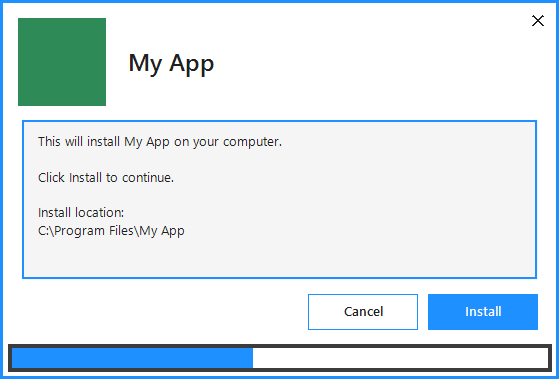
A clean, simple install window with your name, your logo and your colours. It appears in Windows Apps & features like any other program, ready to repair or remove.
Want it when it's ready?
Simple Installer is built and working. Licences go on sale as soon as purchasing is set up. Email us and we will let you know.
Keep me posted